



IPTV USA Guide: Choose Your Service, Plan & Player
Comparing IPTV USA options? Choose an IPTV provider around your viewing needs: the channels you want, the screens you use and the amount you plan to spend. Then compare service access, player compatibility and support. A short trial on your home connection is more useful than a long list of features you may never use.
What Is IPTV and How Does It Work?
IPTV stands for Internet Protocol Television. It delivers television over an internet connection rather than a traditional satellite signal. Depending on the service, you can access live channels, on-demand programs and a program guide through a compatible app or device.
An IPTV player is the application used to open your service; installing one does not automatically include a channel subscription. Our guide to how IPTV works explains the difference between the player, your access details and the content service.
Best IPTV in USA: How to Compare Providers
To find the best IPTV USA option for your household, start with what you watch and the devices you use. Compare IPTV providers in the USA on the exact channels and regional feeds you need, supported audio and subtitles, simultaneous device allowance, and how to reach support. Ask whether player activation is billed separately. When comparing top rated IPTV services, look for recent, detailed reviews that describe the devices used, playback conditions and support experience, then test the service yourself.
Check the provider's identity, content-rights information and payment terms. A large catalog or a working trial does not establish distribution rights; our guide to IPTV legality in the USA explains what to ask. Read the refund conditions and Privacy Policy before ordering.
Practical viewing check: Use a 24-hour IPTV trial on your main device at your usual viewing time. Test channel changes, program guide times, audio and an on-demand title. Keep your account credentials and M3U links private.
How Much Is IPTV per Month in the USA?
TVbrick starts at US$11.99 for one month on one device. The 12-month option costs US$59.99 paid upfront, approximately US$5.00 per month as an equivalent. It is not a monthly charge. Three months cost US$29.99 and six months cost US$39.99 for one device.
TVbrick offers 1, 3, 6 and 12-month options for 1–5 devices. Compare our IPTV subscription plans for current prices in US dollars and the total payable upfront. Include any separate player license and your broadband costs when comparing your overall budget.
Which IPTV Player and Device Can I Use?
Your device's operating system and app store determine which IPTV players you can install. Before choosing a US IPTV subscription, check Hot Player or IBO Player Pro availability for your exact model and confirm support for your supplied M3U playlist or Xtream Codes details. Player activation fees may be separate from the content subscription.
For live TV across US time zones, check both your device clock and your player's EPG settings. An Eastern-time feed can show a different start time from your local schedule. Follow our installation guides and test a familiar program to confirm the guide is aligned.
Multi-device plans: Each TVbrick M3U link works on one device. Plans for additional devices provide separate links, with options for up to five devices. Use the assigned link for each device rather than sharing one connection across multiple screens.
Why Is IPTV Buffering or Not Working?
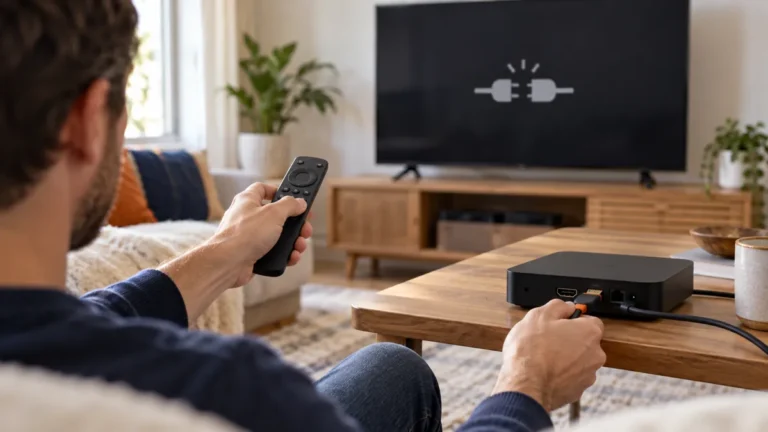
Buffering can relate to your home network, device, app or the stream itself. Our IPTV troubleshooting guide starts by checking whether one channel or the entire service is affected. Restart the player, check your subscription status and test your internet connection on the device you use to watch. Buffering alone does not establish that your internet provider is blocking or throttling IPTV.
For buffering and freezing problems, compare Wi-Fi with a wired connection where possible and pause heavy downloads. For 4K IPTV, the source, player and screen must support the resolution, and your connection needs enough steady capacity for the stream and other household traffic. Our IPTV internet speed guide explains what to check for HD, 4K and multiple screens. If problems continue, send support your device model, player name, affected channel and the time of the issue.